
Upcoming Breaking Change: EOS for Legacy QGS Appliance OS Versions (Effective January 29, 2027)

Effective date changed from October 1, 2026 to January 29, 2027 to allow sufficient time to update.
Executive Summary
Starting January 29, 2027, older versions of the QGS Appliance operating system will reach End of Support (EOS). This is a breaking change. Appliances running unsupported versions will no longer operate correctly, preventing agents from proxying traffic to the Qualys Platform.
What’s Changing
Effective January 29, 2027, QGS Appliances on OS versions below 3510.3.5 will be considered End of Support (EOS).
This includes (but is not limited to) the following versions:
- 3510.2.7
- 3033.2.2
- 3139.2.7
Once EOS takes effect, affected appliances will no longer support agent proxy functionality, potentially disrupting scanning workflows and visibility across your environment.
What You Need to Do
QGS Appliances are designed to automatically update to the latest supported OS version. However, in some environments, automatic updates may fail or be blocked.
If your appliance is not updating as expected, follow the step-by-step instructions in our official documentation.
How to Check if Your Appliance is Up-to-Date
You can verify your appliance status in two ways:
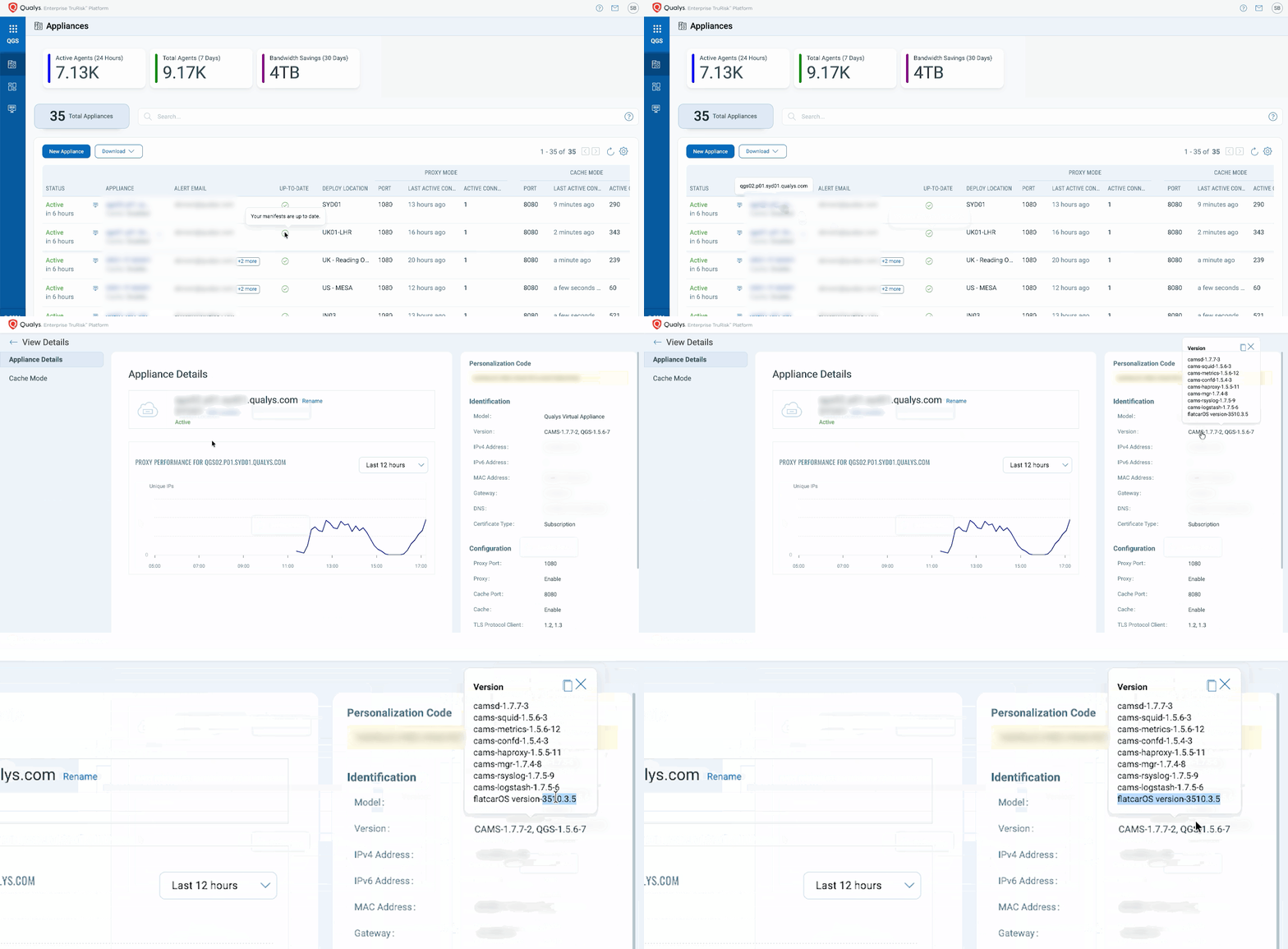
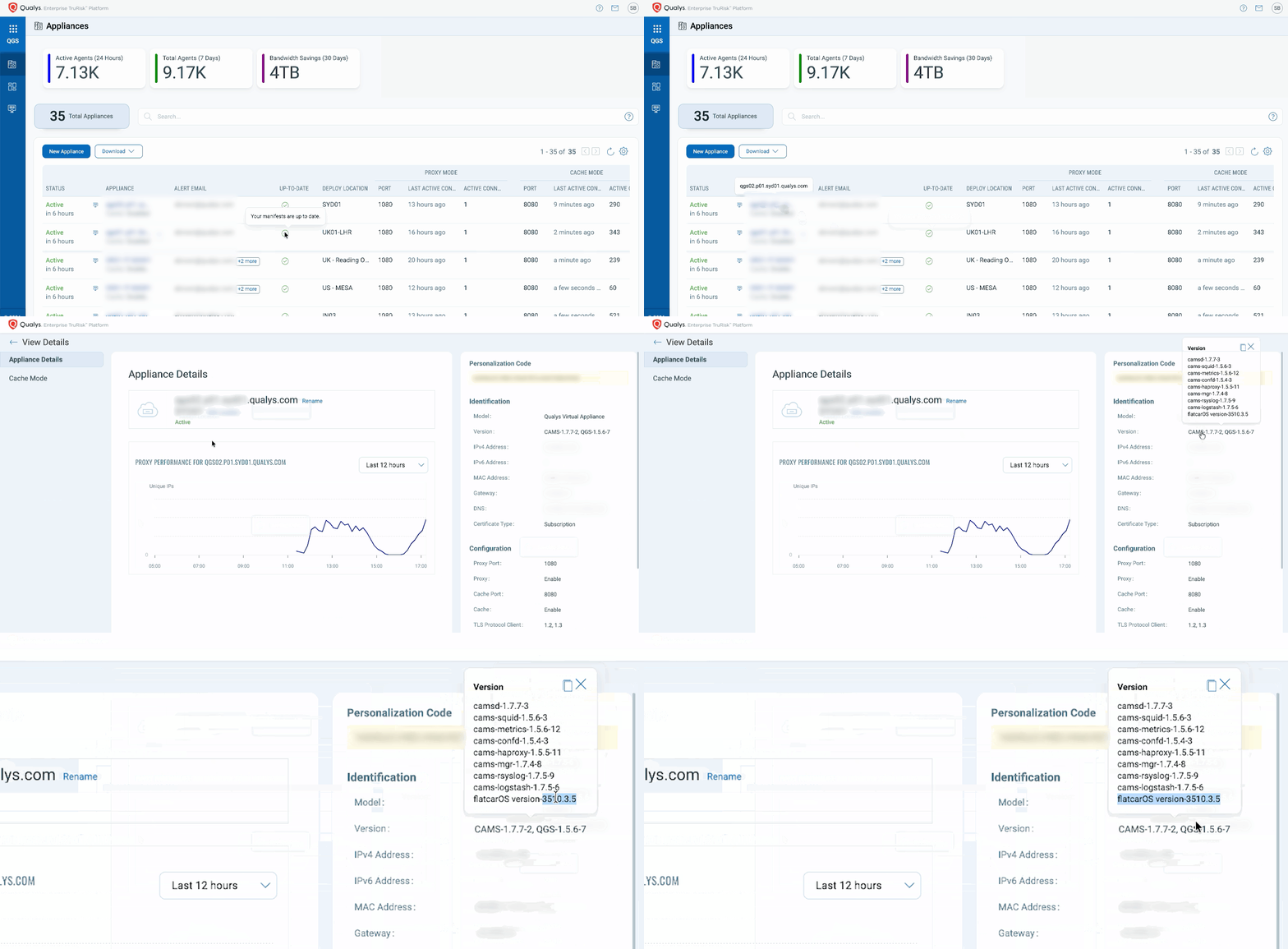
From the Qualys Console (Recommended)
- Navigate to the QGS module.
- On the landing page, locate the UP-TO-DATE column.
- Green checkmark: Appliance is fully up to date (including manifests).
- Red triangle: Appliance or manifest is out of date.
- Click into a specific appliance to view detailed version information on the right-hand panel.
From the Appliance Itself (Serial Console / QGS TextUI)
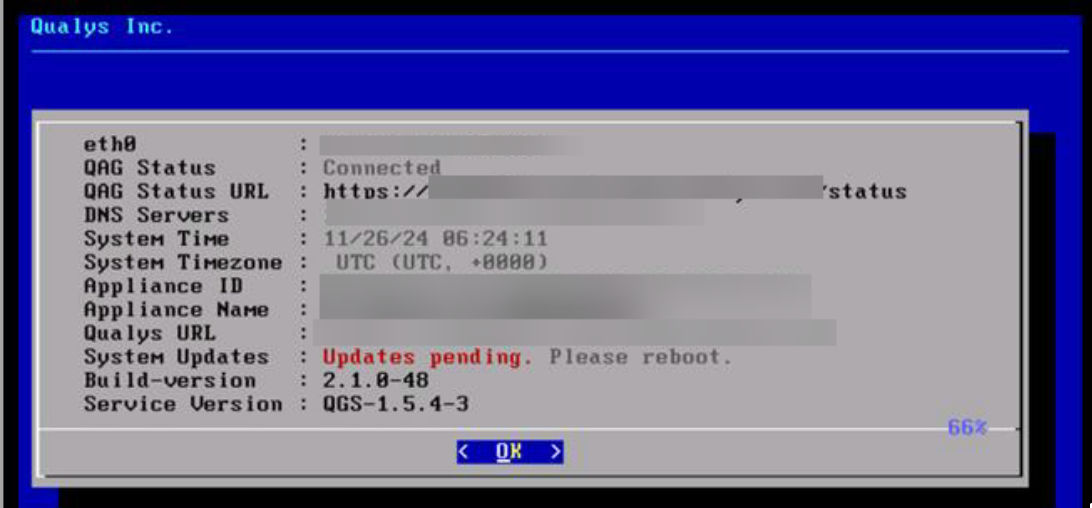
- Access the appliance’s serial console (QGS TextUI).
- Navigate to and open the INFO screen.
- Review the displayed OS version and system details.
- Confirm the OS version is 3510.3.5 or later.
- Any version below this threshold indicates that the appliance is not up to date.
Recommended Next Steps
- Review all QGS appliances in your environment.
- Ensure they are running version 3510.3.5 or later.
- Address any update failures promptly by referring to our QGS documentation.
If you have questions or need help, feel free to contact your TAM or Qualys Support.