
Advisory: Pre-1.4.0 Container Runtime Sensors Will Stop Reporting Data

Table of Contents
Qualys is issuing this advisory regarding the Container Runtime Sensor (CRS). Customers running 1.4.0 sensors and older will simply stop seeing data on the UI and reports.
This is especially impactful for existing FIM customers, whose File events are also being filtered by the same behavior.
Steps to Check the Currently Running CRS Sensor Version
Follow the steps below to identify the version of your currently running CRS sensor:
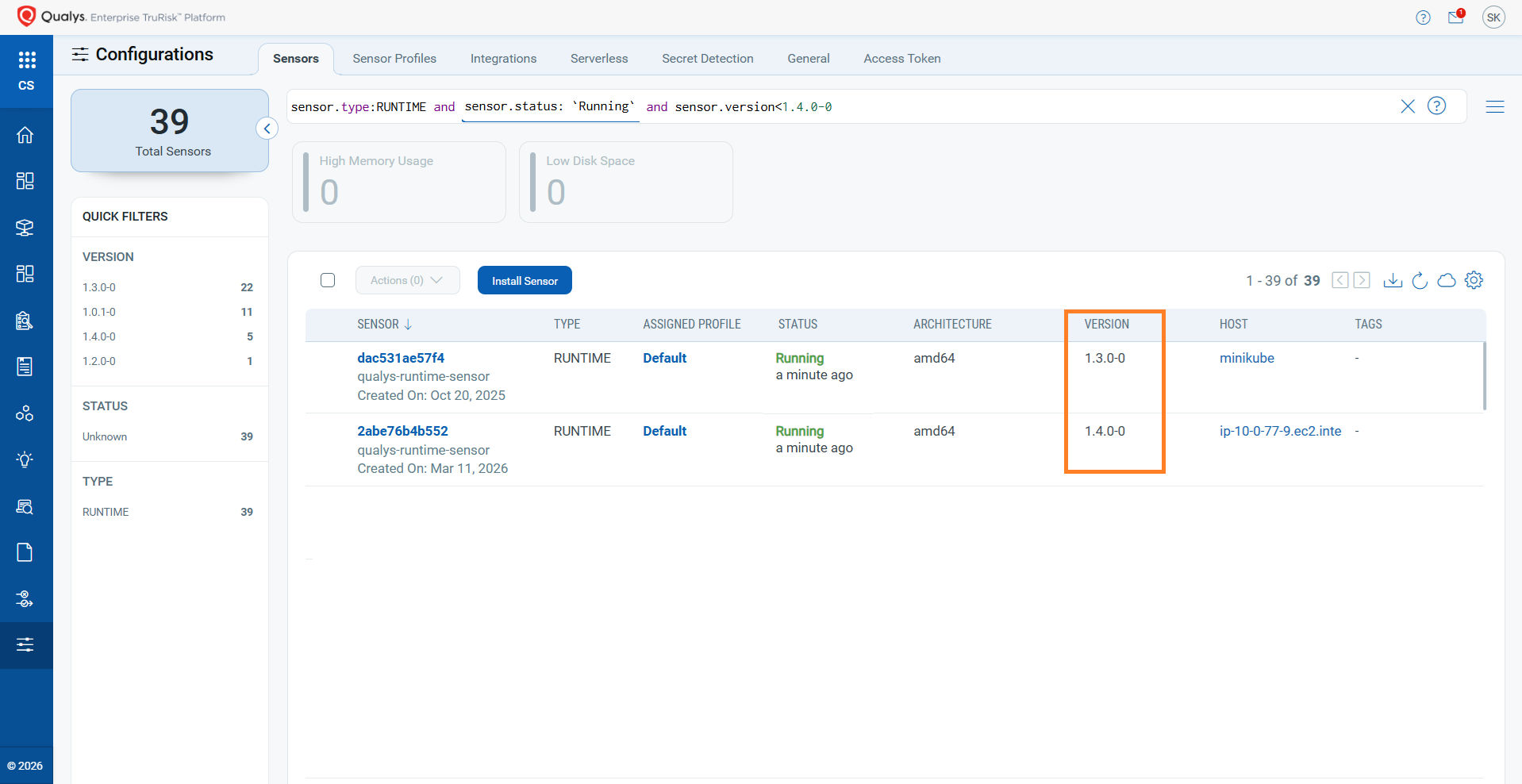
- Navigate to the Configuration section and select the Sensors tab.
- In the search bar, paste the following QQL to list all running CRS sensors:
sensor.status:`Running` and sensor.type:RUNTIME and sensor.version<1.4.0-0
This will display all active CRS sensors along with their current versions.
Stay Updated
Qualys recommends upgrading the Container Runtime Sensor (CRS) to a 1.4.0 or later release as soon as possible:
- Identify all hosts and clusters currently running CRS at versions earlier than 1.4.0.
- Pull the latest CRS image from Docker Hub: https://hub.docker.com/r/qualys/runtime-sensor/tags
docker pull qualys/runtime-sensor:<latest-tag>
- Redeploy CRS using the new image across your container hosts / Kubernetes workloads, following the standard HELM deployment process.
- Validate post-upgrade that container and FIM File events are flowing into the Qualys UI and reports as expected.