
Qualys SaaSDR 1.16.0 Release Updates

The Qualys SaaSDR release 1.16.0 introduces new capabilities, features, and updates. The releaseis expected to be available by the end of September 2026.
Claude AI User and Configuration Discovery
Qualys SaaSDR now supports the discovery and assessment of Claude AI users and configurations, extending SaaS security visibility to one of the fastest-growing enterprise AI platforms. This capability strengthens Qualys TotalAI’s mission to secure AI usage across your organization, giving security teams insight into who is using Claude AI, how it is configured, and whether it aligns with your security and compliance standards.
Key Benefits:
- AI-aware SaaS security: Discover and assess Claude AI user access and configurations alongside your broader SaaS estate, no blind spots in your enterprise AI footprint.
- Strengthens TotalAI coverage: Extends Qualys’ AI security posture management to Claude AI, helping organizations govern AI tool adoption before it outpaces security oversight.
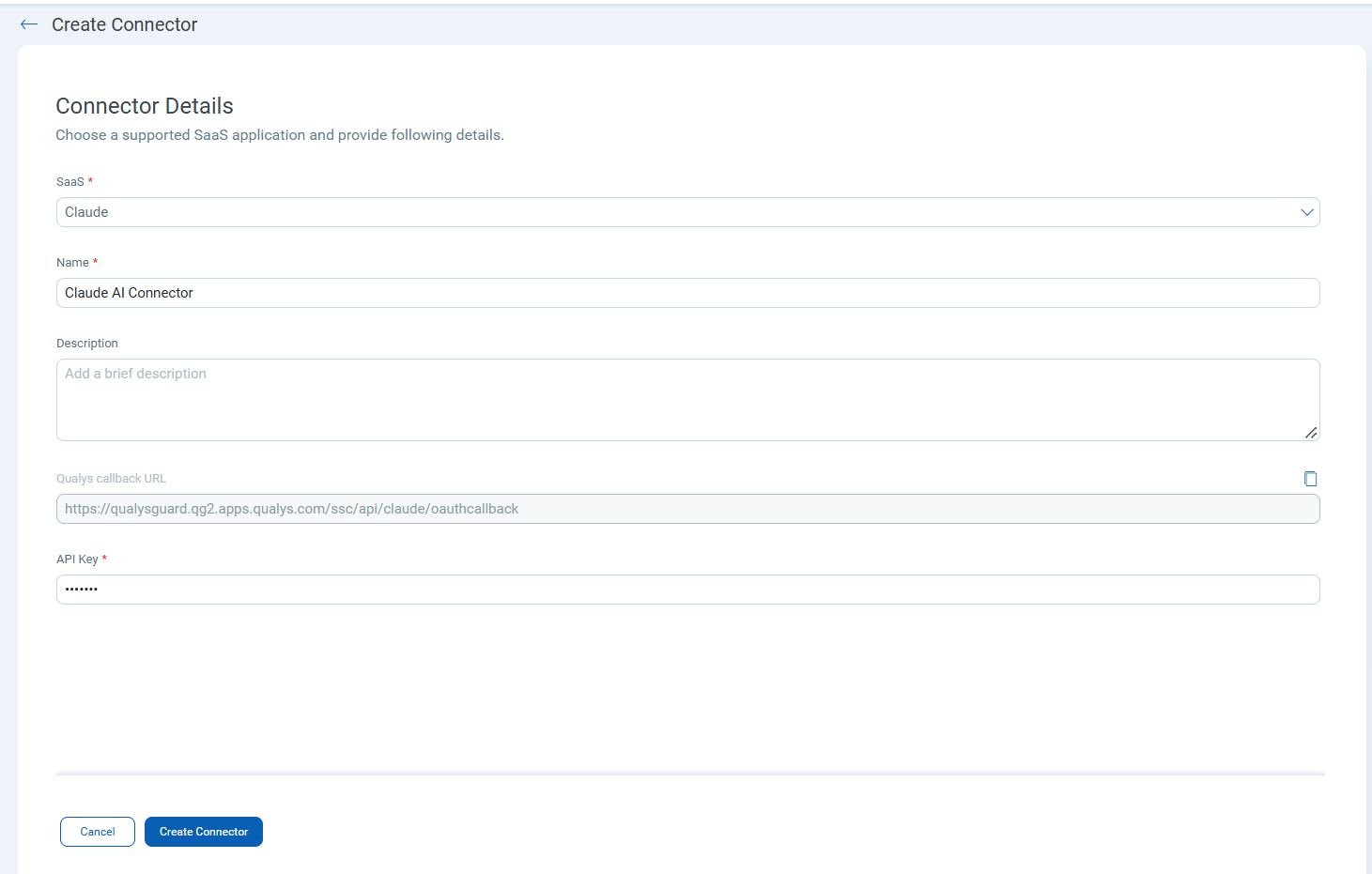
Note: This capability is available in the Qualys TotalAI subscription.
Inventory Reporting for SaaS Applications
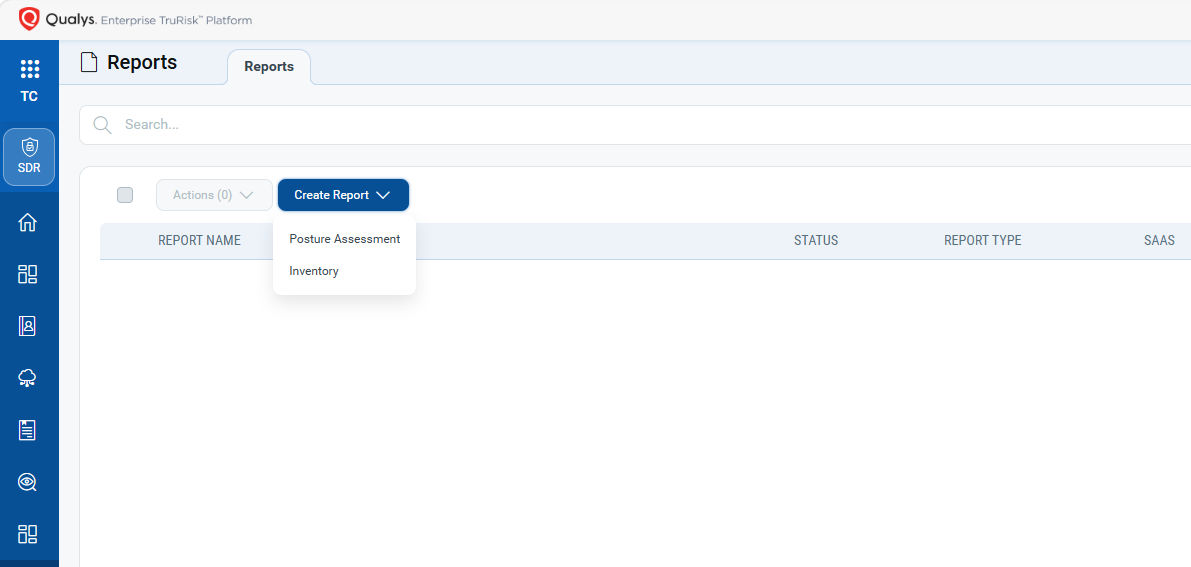
Qualys SaaSDR now extends its reporting capabilities beyond posture reports to include Inventory Reporting for SaaS applications, providing security and compliance teams with a comprehensive, exportable view of discovered SaaS users, groups, and resources, alongside their security posture findings.
Key Benefits:
- Unified SaaS reporting: Access both inventory and posture reports for SaaS applications from one place — eliminating the need to stitch together separate exports for compliance and governance workflows.
- Complete audit-ready visibility: Generate exportable SaaS inventory reports covering users, groups, and resources — ready for compliance reviews, audits, and stakeholder reporting.
Create custom controls with SaaSDR
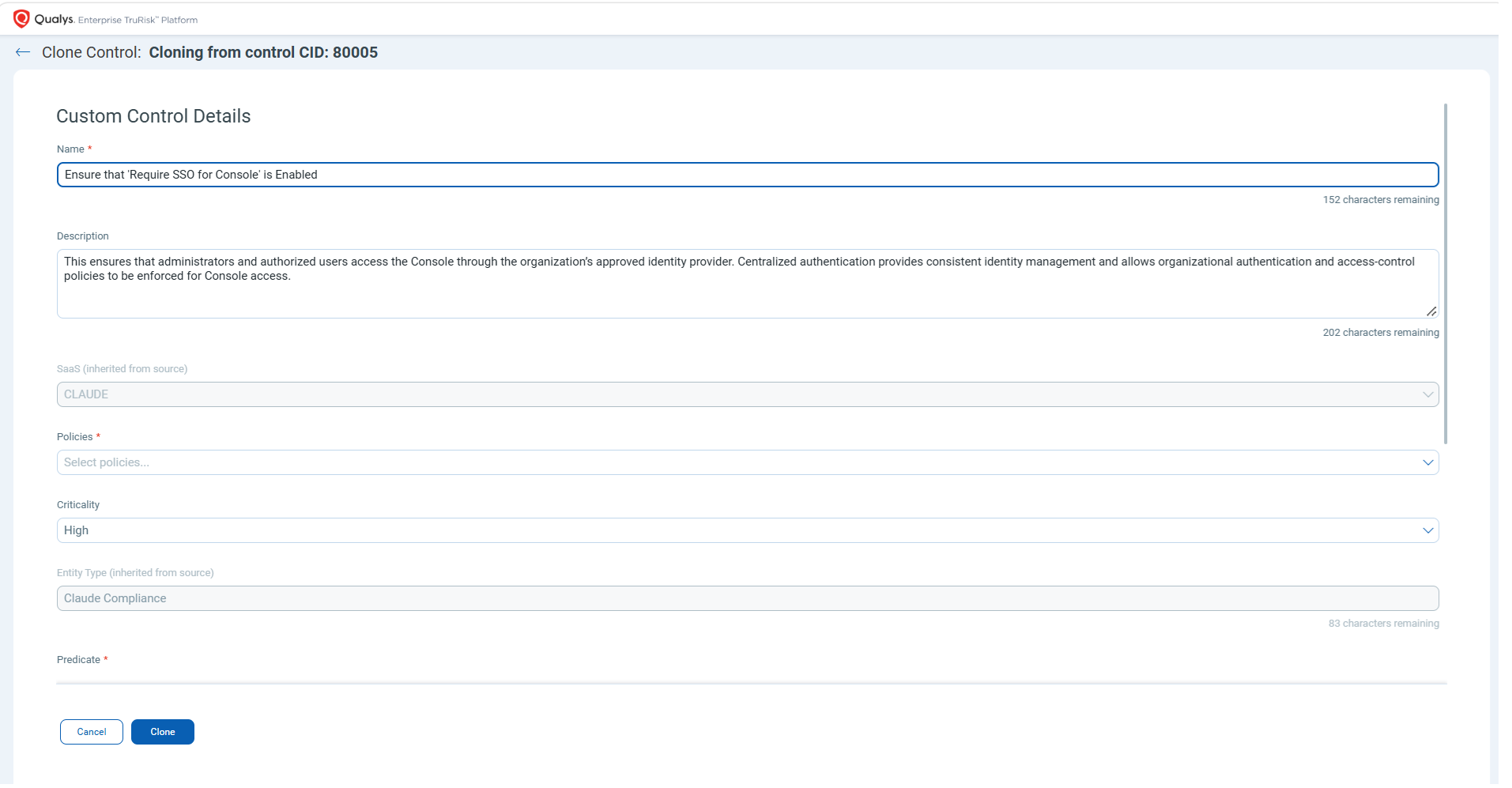
Qualys SaaSDR now lets you create custom controls directly from the Policy/Controls page; no support ticket, no workaround is required. Start from any system-defined control, select “clone” from quick actions, and adjust it to fit your environments.
Change the criticality to match your own risk model or rewrite the evaluation condition (predicate) so that the control tests exactly what your policy requires. Custom controls work across all supported SaaS applications and appear in the control list alongside predefined controls.
Key Benefits:
- Align posture scoring with your actual risk model – Adjust criticality so a finding that is critical in your production tenant doesn’t carry the same weight in a sandbox, and your overall posture score reflects reality instead of a generic default.
- Enforce internal and regulatory policy that no vendor ships by default – Rewrite evaluation conditions to test against your own baselines, so controls mapped to internal standards or region-specific requirements are monitored the same way as built-in checks.
Resources
- Learn more about Qualys SaaS Security Posture Management (SSPM) and TotalCloud™ CNAPP
- Online Help: SaaSDR, SaaSDR API
- If you have questions, please contact your TAM or Qualys Technical Support.