
Qualys TotalCloud 2.28.0 Release Updates

The Qualys TotalCloud 2.28.0 version introduces new capabilities, features, and updates. This release brings very exciting updates that would help simplify your cloud security operations. The release is expected to be available by mid-October 2026.
CSPM Enhancements
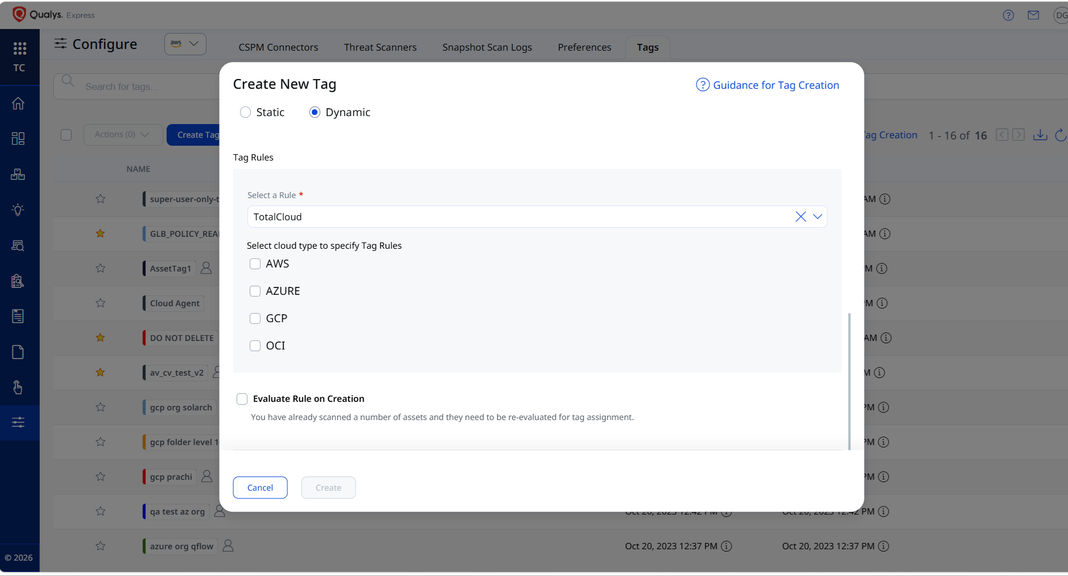
Dynamic Tag Support
Qualys TotalCloud now supports Qualys dynamic tagging for all cloud inventory and posture assessments. You can build tagging rules on your existing cloud tags, such as compliance requirements, cost centers, or organizational hierarchy, and apply them consistently to every resource type and posture evaluation across AWS, Azure, GCP, and OCI. This lets you manage resources, track compliance, and govern your entire multi-cloud estate from a single platform.
Key Benefits:
- Consistent governance across clouds: One tagging approach covers inventory and posture data for every provider and resource type.
- Automated classification at scale: Resources are categorized automatically, enabling fine-grained access control and simplifying compliance without manual tagging.
Enhancements to Report Exports
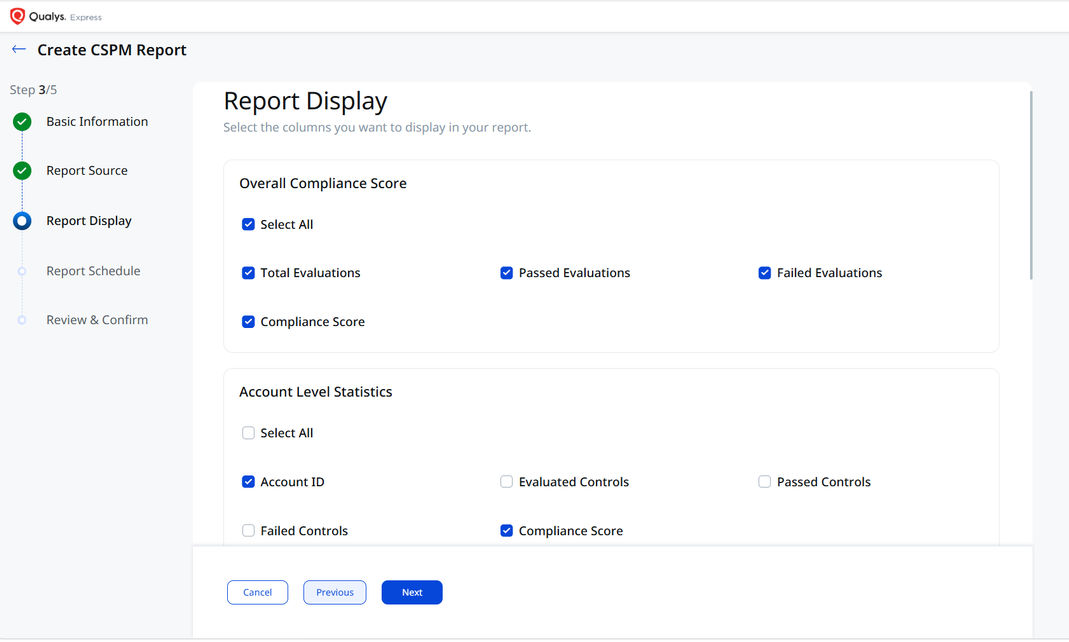
Qualys TotalCloud has enhanced end-to-end CSPM report generation, giving users greater control over what a report contains and what data can be downloaded. A new Report Display step allows users to select which sections to include, such as the overall compliance score, account-level statistics, control-level statistics, resource-level statistics, and detailed findings. Users can then select the specific attributes they want to include as columns in the CSV export.
Key Benefits
- Reports for every audience: You can build reports for auditors, account owners, or executives directly, so you no longer need to filter manually or rework spreadsheets to make each version.
- Exports with only what you need: You choose the sections and attributes, so each export holds only the data that matters for its purpose.
Risk Prioritization
Export TruRisk Insights
Qualys TotalCloud now offers REST APIs for fetching flagged TruRisk Insights from all your cloud platforms, so you can bring cloud risk data into your own workflows and tools. The APIs return insights, including attack-path context and risk prioritization. You can feed this data straight into your security platforms, SOAR systems, ticketing tools, and remediation workflows. That removes manual exports and lets you automate risk response in real time.
Key Benefits:
- Cloud risk data in the tools you already use: Pull flagged TruRisk Insights into your SOAR, ticketing, and security platforms, so teams can work on cloud risk without leaving their usual tools.
- Prioritize with full context: Each insight comes with its attack path context and risk prioritization, so teams working outside TotalCloud can still see which issues matter most.
Connector Enhancements
Delta Sync Support for Organization Connectors
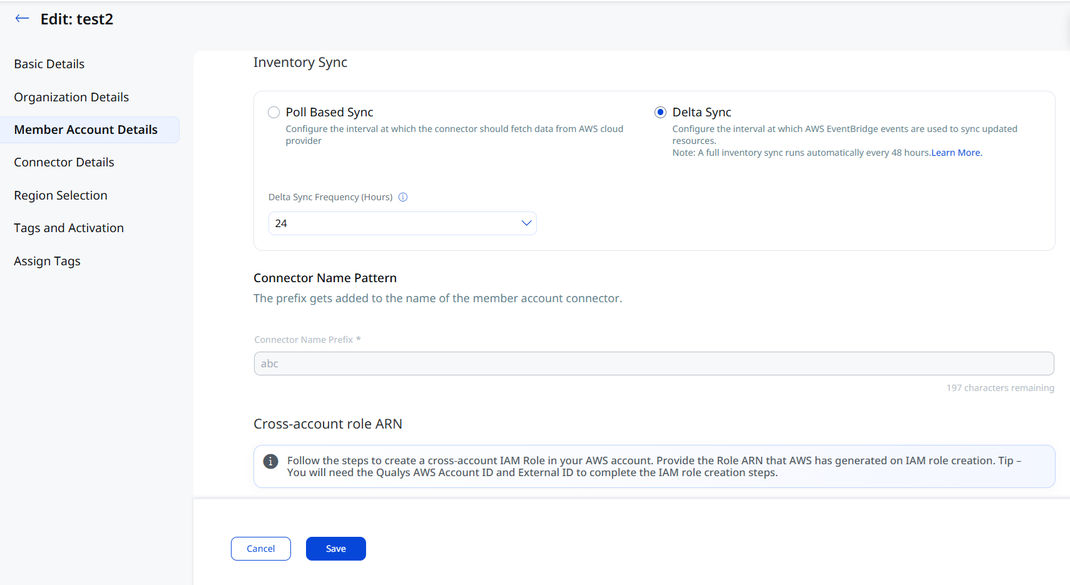
Delta Sync, the near-real-time, event-based option for updating inventory and posture, was already available for individual AWS and Azure connectors. It now also works with AWS and Azure Organization connectors.
Administrators can enable Delta Sync when creating or editing an organization connector. You get the same choice between Poll-Based Sync and Delta Sync that individual connectors have, so you can decide how inventory and posture changes sync across your cloud organizations.
Key benefits:
- Turn on Delta Sync once for the whole organization: Enable it once on the organization connector, so you don’t have to set it up on each individual account or subscription.
- Faster, lighter inventory updates: Changes sync as they happen, so your inventory stays current with less full polling, even across large AWS and Azure organizations.
CSPM No Longer Selected by Default for New Connectors
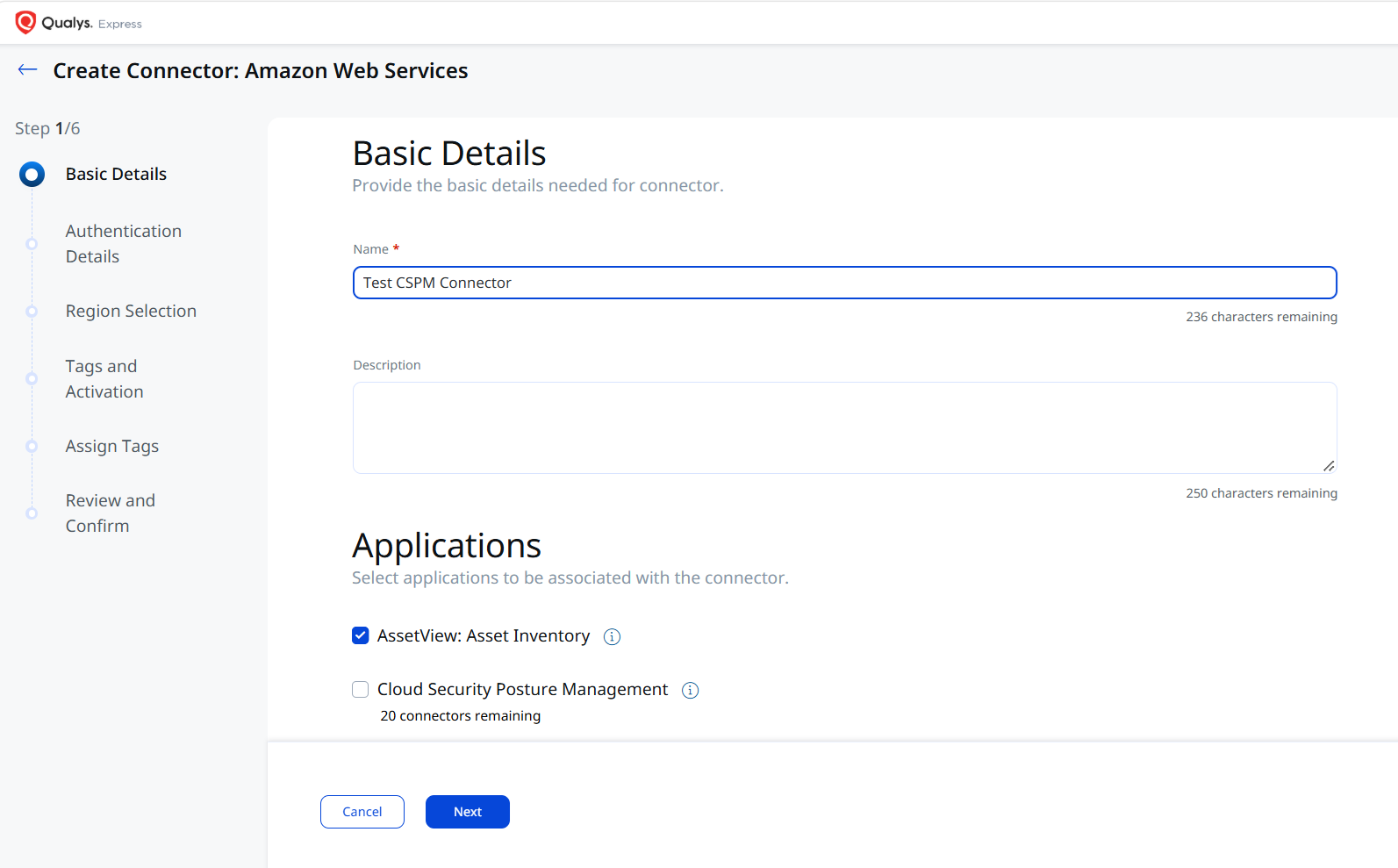
Cloud Security Posture Management (CSPM) will no longer be selected by default when you create a connector. This prevents CSPM from being enabled by accident. VMDR customers who create AssetView connectors can now choose to enable CSPM only when needed.
Inventory Visibility Enhancements
Qualys TotalCloud continuously refines the inventory experience, expanding cloud coverage, improving how data is surfaced, and ensuring every team can access, filter, and export the information they need, faster and with less friction.
| Feature | What’s Updated |
|---|---|
| Expanded GCP Inventory Coverage | Extending detailed resource management across Google Cloud, Qualys TotalCloud now extends detailed inventory support for below critical GCP resource types. Users now access comprehensive information for Artifact Registry Repositories, Bigtable Instances, Buckets, Cloud Armor Policies, Cloud DNS Zones, Cryptographic Keys, Dataproc Clusters, Datasets, Disk Images, Disk Snapshots, Disks, Instance Templates, Instances, Kubernetes Nodes, Managed Instance Groups, Service Accounts, Spanner Databases, and Topics All organized across dedicated tabs for tags, summary details, controls evaluated, and resource metadata. |
| Expanded AWS Inventory Coverage | AWS EBS Encryption, AWS GuardDuty Detector, AWS IAM Account Summary, AWS IAM Virtual MFA Device, AWS S3 Block Public Access Settings, AWS SSM Service Setting, AWS WAF Global Rule Group, AWS WAF Rule Group, AWS WAF V2 Global Web ACL, AWS WAF V2 Web ACL Resource, CloudWatch Alarm, CloudWatch LogGroup, EC2 Elastic IP Address, EC2 NAT Gateway, Elastic Beanstalk Environment, Elasticache Cluster, Glue Crawler, Glue ETL Job, IAM SAML Provider, Kinesis Firehose Delivery Stream, Network Firewall Rule Groups |
Control Enhancements
Expanded CIS AWS Benchmark Coverage
TotalCloud now expands its compliance coverage with support for the following CIS Amazon Web Services Benchmarks:
- CIS Amazon Web Services Compute Services Benchmark v2.0.0
- CIS Amazon Web Services Database Services Benchmark v2.0.0
- CIS Amazon Web Services End User Compute Services Benchmark v1.2.0
- CIS Amazon Web Services Storage Services Benchmark v1.0.0
With this expanded coverage, organizations can assess a broader range of AWS services against established CIS security benchmarks and strengthen their cloud compliance posture.
New Controls Introduced
Qualys continuously monitors new security controls across cloud platforms. In this release, the following new controls have been added:
- AWS: Approximately 18 new security controls are introduced
- Azure: Approximately 4 new security controls are introduced
We also enhanced existing controls to keep them up to date.
| For ongoing updates on control changes, refer to the TotalCloud Release Notes for version 2.28.0, which will be published soon on the Qualys Product Release Notes page. |
Additional Permissions for Controls
We have introduced many new controls (as mentioned in the above section) with this release, and the required granular permissions for those control evaluations are listed below.
| Cloud Provider | Permissions |
| AWS | ecs:ListTaskDefinitions ecs:DescribeServices workspaces:DescribeWorkspacesConnectionStatus ec2:DescribeNetworkInterfaces appstream:DescribeFleets |
| Azure | Microsoft.Insights/ActivityLogAlerts/Read |
Additional Permissions for Inventory
We have introduced support for many new cloud services with the TotalCloud 2.28.0 release and the required granular permissions for the resource inventory is listed below.
| Cloud Provider | Permissions |
| AWS | ec2:GetEbsEncryptionByDefault ec2:GetEbsDefaultKmsKeyId kms:DescribeKey guardduty:ListDetectors guardduty:GetDetector guardduty:ListTagsForResource iam:GetAccountSummary s3:GetPublicAccessBlock s3:GetAccountPublicAccessBlock ssm:GetServiceSetting wafv2:ListRuleGroups wafv2:GetRuleGroup wafv2:ListRuleGroups wafv2:GetRuleGroup wafv2:ListWebACLs wafv2:GetWebACL wafv2:ListWebACLs wafv2:GetWebACL cloudwatch:DescribeAlarms logs:DescribeLogGroups ec2:DescribeAddresses ec2:DescribeAddresses ec2:DescribeNatGateways elasticbeanstalk:DescribeEnvironments elasticache:DescribeCacheClusters glue:ListCrawlers glue:GetCrawler glue:ListJobs glue:GetJobs iam:ListSAMLProviders iam:GetSAMLProvider firehose:ListDeliveryStreams firehose:DescribeDeliveryStream network-firewall:ListRuleGroups network-firewall:DescribeRuleGroup |
Resources
- TotalCloud™ – The Risk-minded CNAPP. Learn more about TotalCloud CNAPP.
- Online Help for TotalCloud, Connectors, TotalCloud API User Guide
- How-to Training Videos
If you have questions, please contact your TAM or Qualys Technical Support.