
Granular Access Control for TotalCloud Policy Management

Table of Contents
Not everyone managing cloud security needs the same level of access. TotalCloud now replaces broad policy permissions with action-level, composable controls, giving admins the precision to assign exactly the right access for every role, no more, no less, for the sub-users of their Qualys subscriptions.
The change is planned in TotalCloud Release 2.27, planned to be deployed by the end of August 2026.
What’s Changing
Policy Management RBAC
The existing “Policy and Control Permissions” section is replaced by a new “Policy, Control, and Exception Permissions” section that covers custom and out-of-the-box controls, policies, and exceptions.
Note: All other permission groups (UI/API, Reporting, Remediation, IaC Security, Alerting) are unaffected.
| Permission | What It Controls |
| Policy, Control and Exception Access | Master read — required to view Policy and Posture tabs. Assign alone for a clean read-only role by design. |
| Create, Clone / Edit / Delete Control | Granular control over building and managing security controls |
| Create, Clone / Edit / Delete Policy | Granular control over policy lifecycle management |
| Create, Clone / Edit / Delete Exceptions | Granular control over exception management |
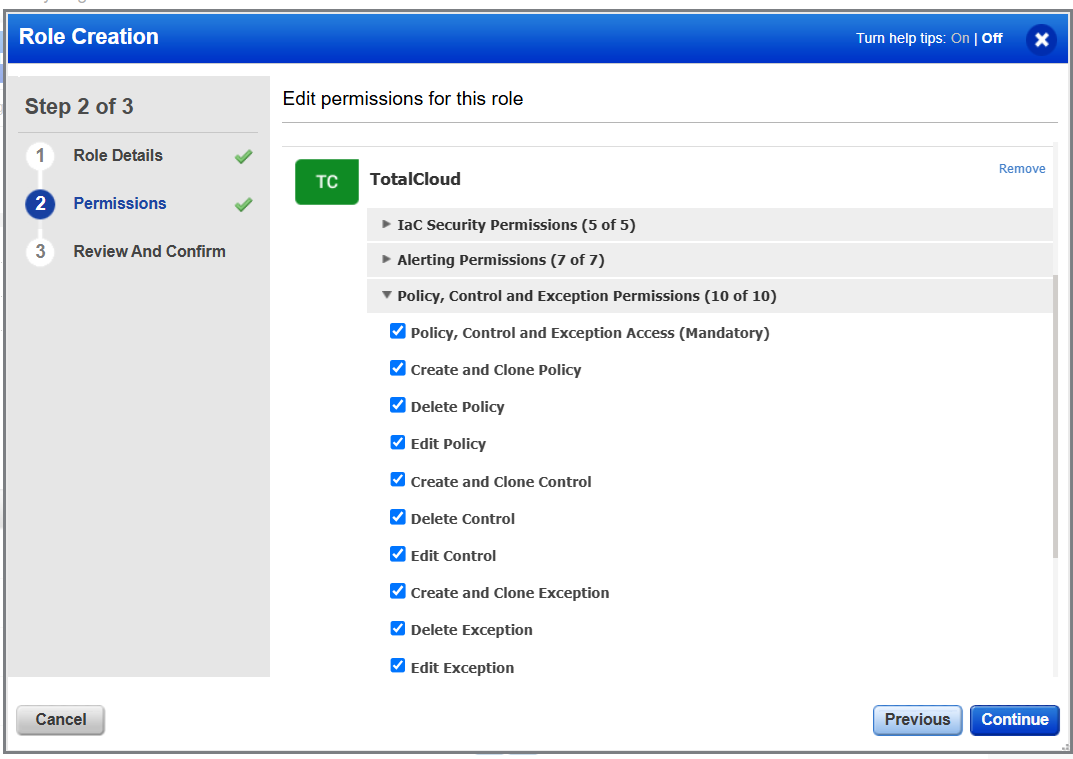
Three predefined roles are available out of the box to simplify adoption, and since every permission is individually selectable in the role builder, you can customize them or build your own from scratch to match exactly how your team operates.
| Predefined Roles | Status | Access |
| TotalCloud User | Updated | Full access + mandatory read on policies, controls, exceptions. No write rights on governance objects. |
| TotalCloud Policy Admin | New | Full CRUD across policies, controls, and exceptions |
| TotalCloud Policy Reader | New | Read-only, ideal for auditors and compliance stakeholders |
Policy Scope Configurations
The user scope in Qualys Platform is defined using Qualys tags. Users can now apply Qualys tags to Policies and Controls. These are the same tags that can also define the sub-user and connector scopes.
Additionally, the tags can also be applied in bulk to multiple policies and controls, in addition to the existing feature to apply tags in bulk to connectors.
Posture Visibility via Preferences
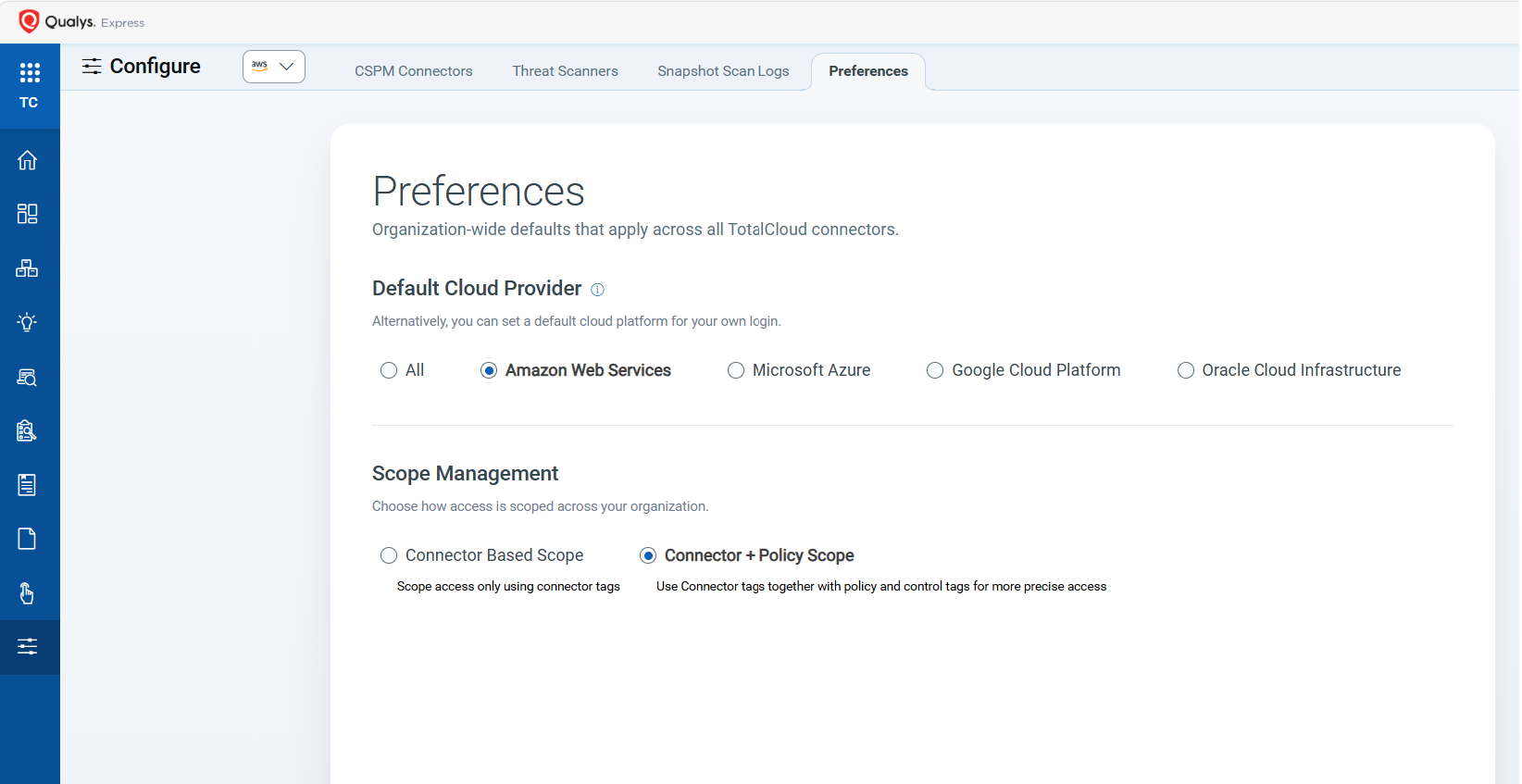
Admins can control how posture is represented. From the Configure Preference tab, admins choose how posture visibility can be controlled based on the policy scope:
- Connector-Based Scope: This is the default and recommended option, which retains the existing feature with no impact to users
- Connector + Policy Scope: This option defines advanced scope enforcement that combines scope based on policy, control, and connector, i.e., tags applied to each of these objects.
If you need help planning your migration, contact your Technical Account Manager (TAM) or Qualys Technical Support.