
Get Release Notes Delivered Straight to Your Inbox

Executive Summary
Keeping up with product updates just got easier. You can now subscribe to Qualys Release Notes and receive updates for the products of your interest, right into your inbox.
Big things are shipping constantly! From new capabilities to powerful enhancements, API updates, and fixes, there’s always something new. You’ve been checking the Release Notes page to stay current. Now, we’ve made that a whole lot simpler.
With our new Subscribe for Updates option, you can now receive release notes for the products you care about directly in your inbox. This makes it easier than ever to stay informed about product innovations and improvements at Qualys.
Set Up Release Notifications in Minutes
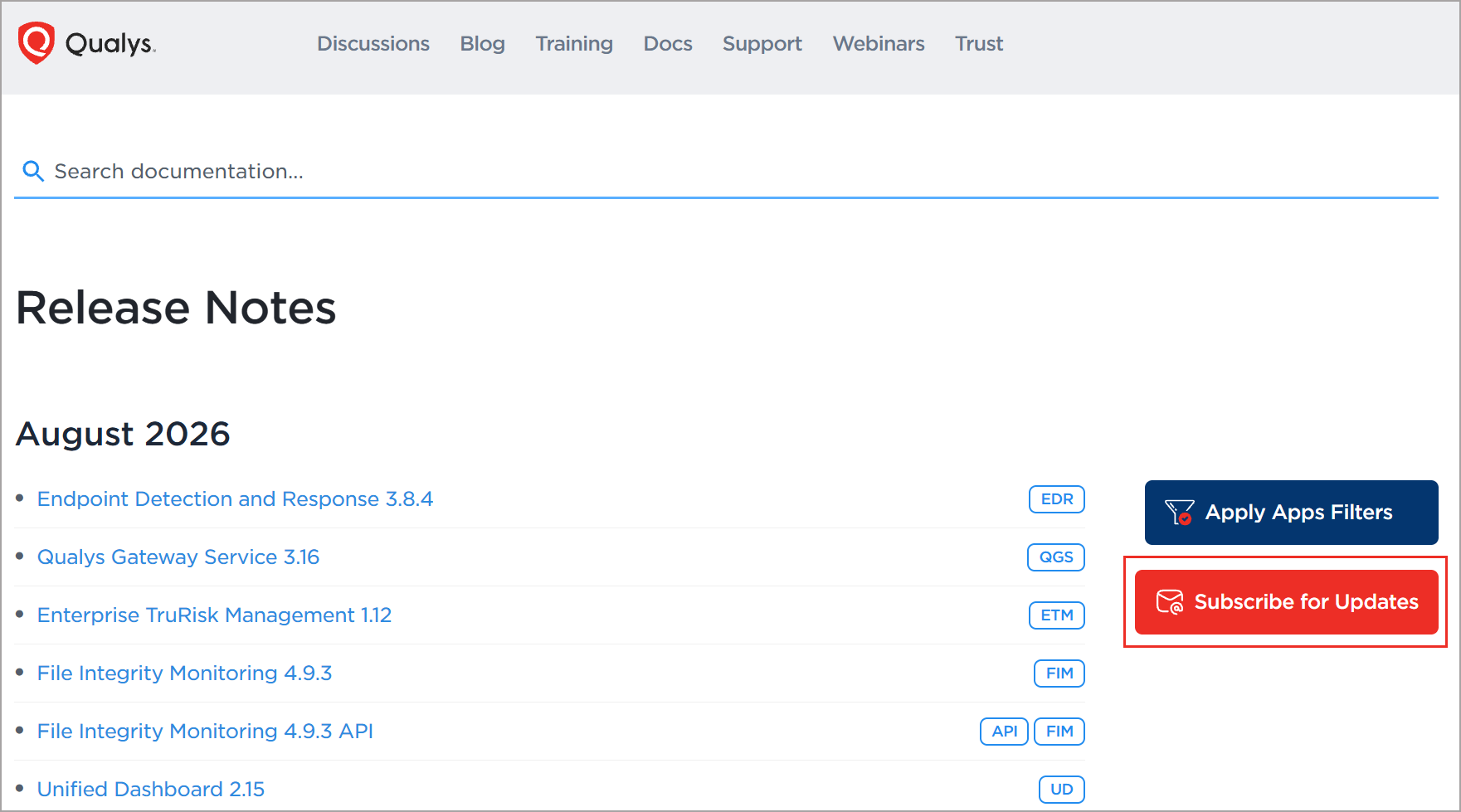
On the Qualys Release Notes page, click Subscribe for Updates.
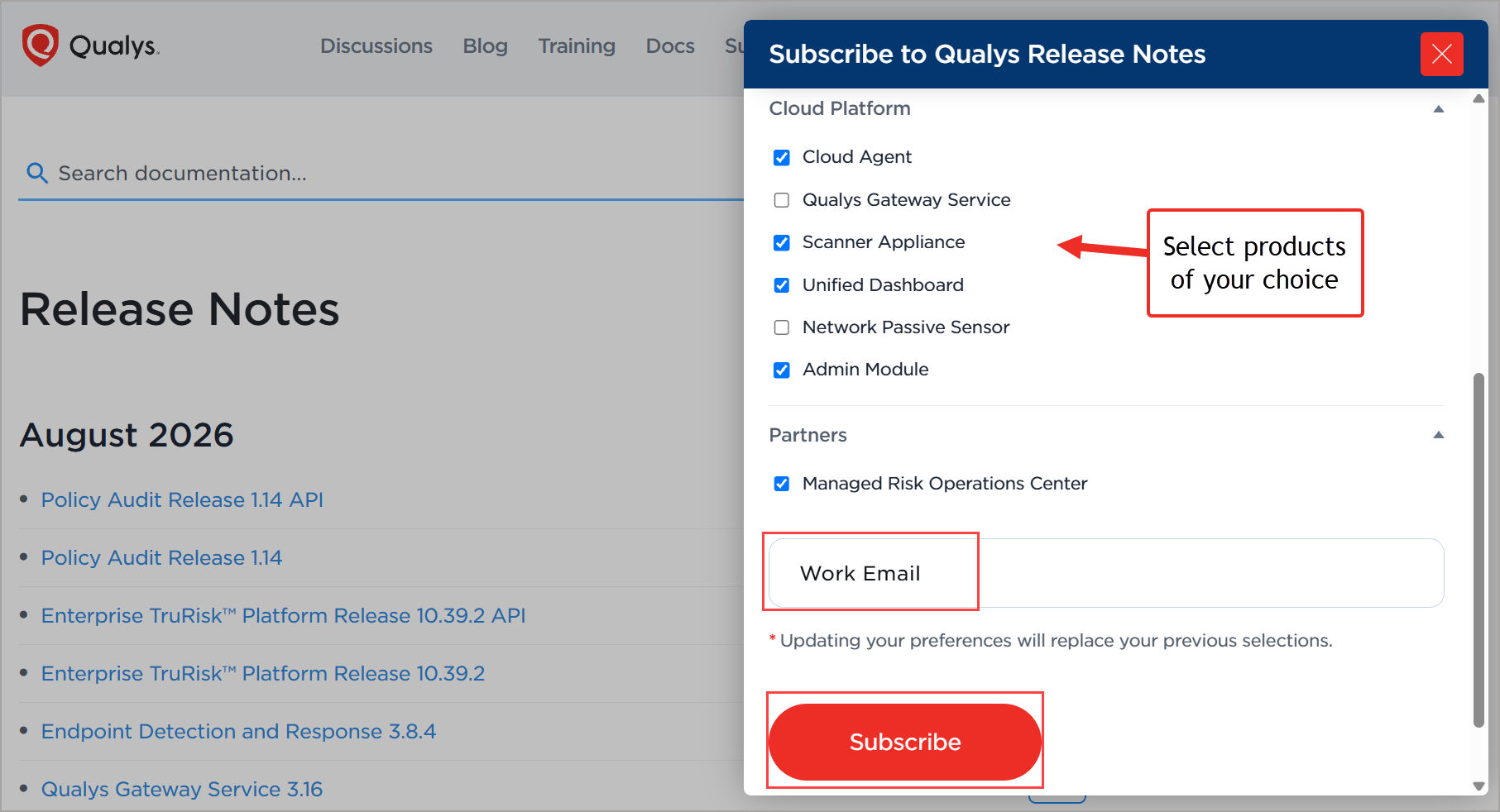
Pick the products of your choice. Curious about a new product you’re evaluating? You can add that to your list, too! Then, enter a valid work email, and click Subscribe.
What Happens Next?
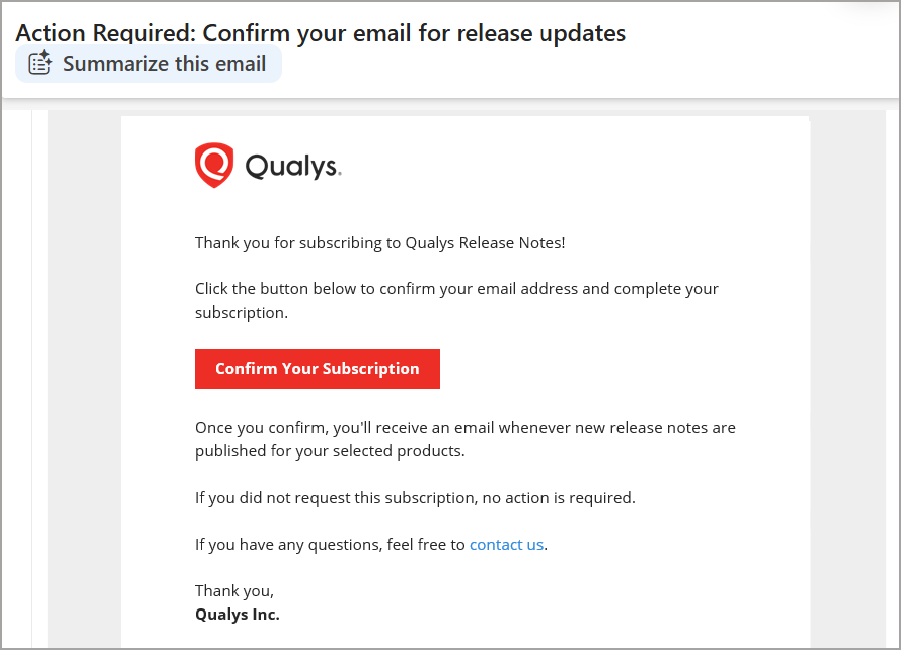
Check your inbox for a verification email with the subject line, “Action Required: Confirm your email for release updates.” Click Confirm Your Subscription, and you’ll be taken to a success page. This completes your subscription.
Once your subscription is confirmed, you’ll start receiving Release Notes for your selected products when they are published on the Release Notes page.
That’s All, You Are All Set
From here on, get the updates delivered straight to your inbox. Stay informed. Stay prepared. Stay ahead.
Support & Feedback
If you run into any issues during setup or when receiving your verification email, reach out to Qualys Support.
Frequently Asked Questions (FAQs)
Do I need a Qualys account to subscribe to release notes?
Qualys Release Notes updates are open to everyone. Anyone with a valid work email address can subscribe to our release notes.
Can I subscribe to more than one product category?
Absolutely! Pick one, pick several, or pick all. Stay informed about everything Qualys.
Why do I need to verify my email address?
This quick step ensures that we have the right inbox and prevents unauthorized signups.
Can I update my product preferences after subscribing?
Yes, anytime you like. At the bottom of any release notes email, click Manage Subscriptions. This takes you to the Release Notes page. This takes you to the product preference panel. Update your product preferences, enter your valid work email, and click Subscribe.
When will I receive Release Notes email notifications?
You’ll receive email notifications once the Release Notes are published to the Qualys Release Notes page for the products you’ve subscribed to. Notifications are processed once a day, and you will receive an email with all release notes published that day for your selected products. If there are no new updates for your subscribed products, you won’t receive an email.
How do I unsubscribe?
If you no longer wish to receive the Release Notes, click Unsubscribe in the footer of the release notes email. A confirmation message appears, and that’s it; your subscription is canceled.