
End-of-Support Qualys Cloud Agent Versions for 2027

Overview
Each year, Qualys announces updated End-of-Support (EOS) versions for the Cloud Agent. This is part of our ongoing effort to deliver the most secure, high-performance agent framework by phasing out older versions and encouraging the adoption of newer, feature-rich releases.
Effective February 1, 2027, the agent versions listed below will move into end-of-support status. Agents in EOS status continue to operate, but with limited new functionality and reduced support:
- General Support Only: Access to documentation, KB articles, and upgrade guidance.
- No Standard Support: Engineering and bug fix support are no longer provided.
To continue receiving full support, customers must upgrade to a supported agent version.
End-of-Support Agent Versions (Effective February 1, 2027)
| Platform | Future EOS Agent Versions |
|---|---|
| BSD | Prior to 7.1.0.13 |
| CoreOS | Prior to 4.2 |
| IBM AIX | Prior to 6.0.0.22 |
| Linux | Prior to 7.0 |
| Linux ARM | Prior to 6.0 |
| Linux PowerPC | Prior to 3.21.1.6 |
| MacOS ARM | Prior to 6.0 |
| MacOS Intel | Prior to 6.0 |
| Solaris | Prior to 3.11 |
| Windows | Prior to 6.0 |
Current End-of-Support Agent Versions (2026)
For reference, the following agent versions are already past EOS as of January 2026:
| Platform | Current EOS Agent Versions |
| BSD | Prior to 3.12 |
| CoreOS | Prior to 4.2 |
| IBM AIX | Prior to 4.20 |
| Linux | Prior to 6.4 |
| Linux ARM | Prior to 6.0 |
| Linux PowerPC | Prior to 3.21 |
| MacOS ARM | Prior to 5.5 |
| MacOS Intel | Prior to 5.5 |
| Solaris | Prior to 3.11 |
| Windows | Prior to 5.4 |
How to Find Agents That Are No Longer Supported Today
There are multiple ways to identify EOS agents in your environment.
Option 1: Search by QID 105961
This Qualys ID flags agents currently in EOS. On February 1, 2027, Qualys will update this QID to include the new EOS versions listed above.
Note: This is not a vulnerability QID. By default, all EOL QIDs are marked as Severity 5.
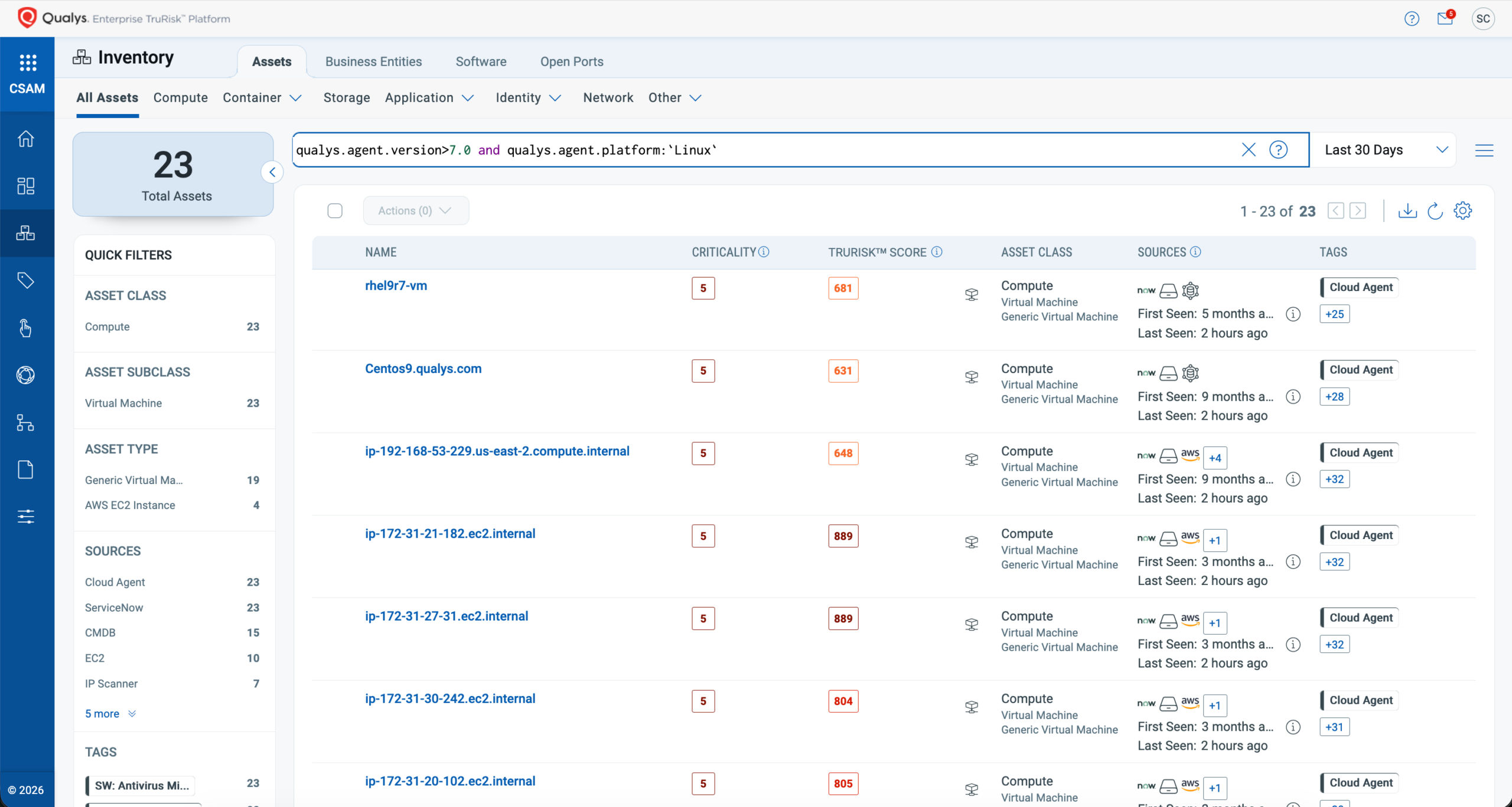
Option 2: Search by Agent Version
In the Cloud Agent UI, navigate to: Cloud Agent > Agent Management > Agents. Use a search filter like:
qualys.agent.version>7.0 and qualys.agent.platform:`Linux`
Option 3: Search by Software Lifecycle Stage
In CSAM, navigate to: Inventory > Software. Use the search filter, as mentioned below:
software:(name:qualys and lifecycle.stage: ‘EOL/EOS’)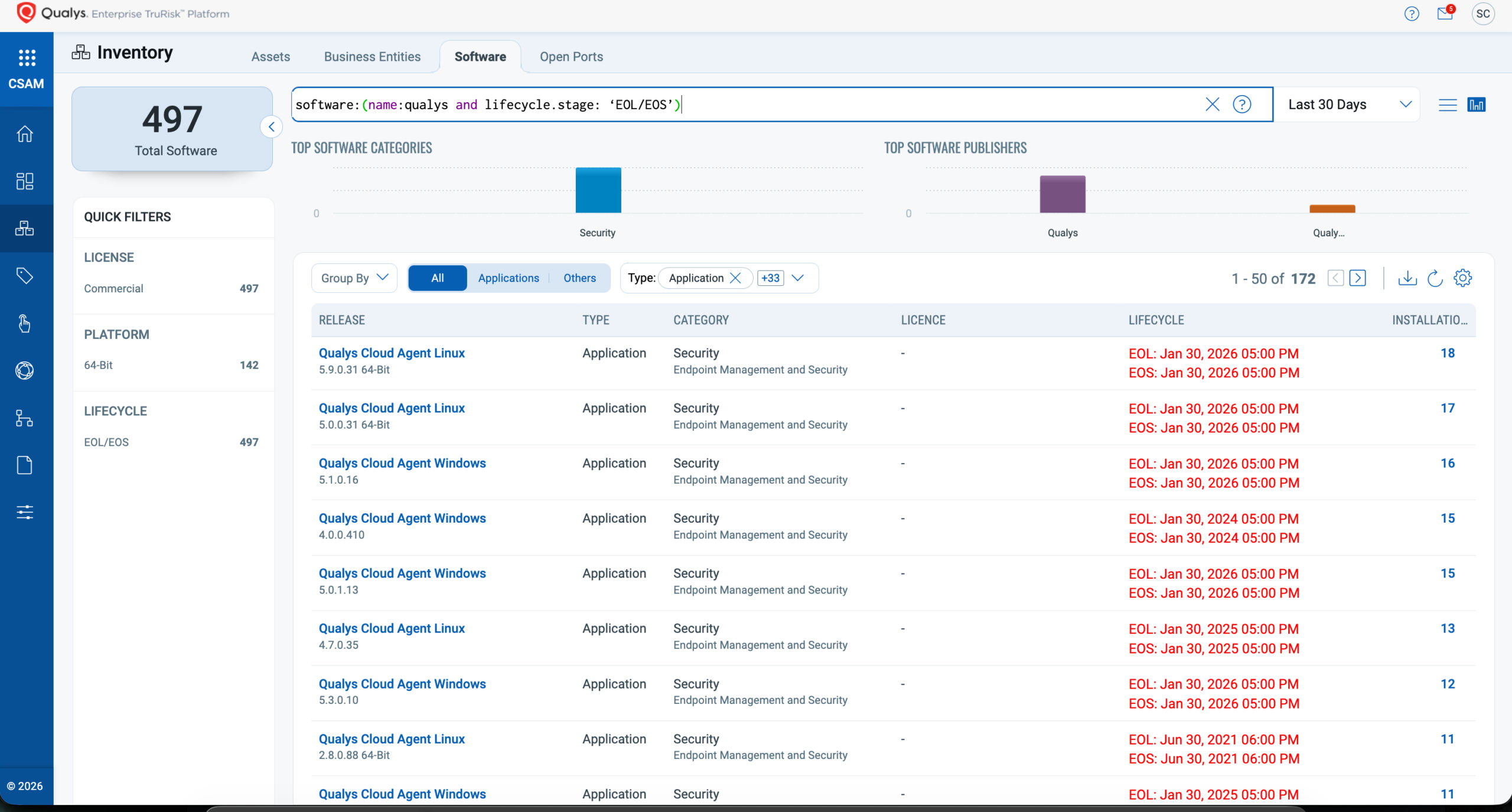
Option 4: Use the Cloud Agent Dashboard
The Cloud Agent dashboard includes built-in widgets to visualize your agent version distribution by platform. These widgets help quickly identify agents requiring upgrades.
What Action Is Needed?
1. Upgrade All Existing Agents
Ensure your deployed agents are on versions above the EOS thresholds. Follow the guides linked below for upgrade instructions:
- AWS Bottlerocket Upgrade Guide
- BSD Upgrade Guide
- CoreOS Upgrade Guide
- Gentoo Linux Upgrade Guide
- Google Cloud Platform COS Upgrade Guide
- IBM AIX/Unix Upgrade Guide
- Linux Upgrade Guide
- MacOS Upgrade Guide
- PowerPC Upgrade Guide
- Solaris Upgrade Guide
- Windows Upgrade Guide
2. Use The Latest Version for All New Deployments
Always install the most recent available agent version. The latest certified versions can be downloaded from the Cloud Agent UI. Refer to the Cloud Agent Platform Availability Matrix for up-to-date information.
Best Practices for Agent Binary Upgrade
Here’s how to keep your agents current, from the most effective approach to the least:
| Tier | Approach | Details |
| Best | Use the Auto-Upgrade Feature | Enable auto-upgrade in the agent’s Configuration Profile. Over 80% of Qualys customers use this method to stay current and benefit from the latest agent capabilities. Customers can leverage Agent Version Control to select a specific upgrade version. |
| Better | Quarterly Upgrade Cycle | If auto-upgrade is not an option, manually certify and upgrade agents at least quarterly using your preferred package or configuration management tool (e.g., SCCM, Ansible, Chef). |
| Good | Upgrade as Needed | Perform upgrades in response to EOS notifications or platform-specific feature requirements. While better than no upgrades, this approach may delay access to new capabilities or optimizations. |
Remember to Update Gold Images Quarterly
Even if auto-upgrade is enabled, ensure your organization’s gold images are updated every quarter. This prevents outdated agents from being redeployed and accumulating in production.
If you have any questions, please contact your Technical Account Manager (TAM) or Qualys Technical Support.
Historical EOS Posts